Find hidden cards in the Card Browser and bring them back into your study queue. For full details on card states, see the official Anki Manual.
Filter-to-Action Map
flowchart LR
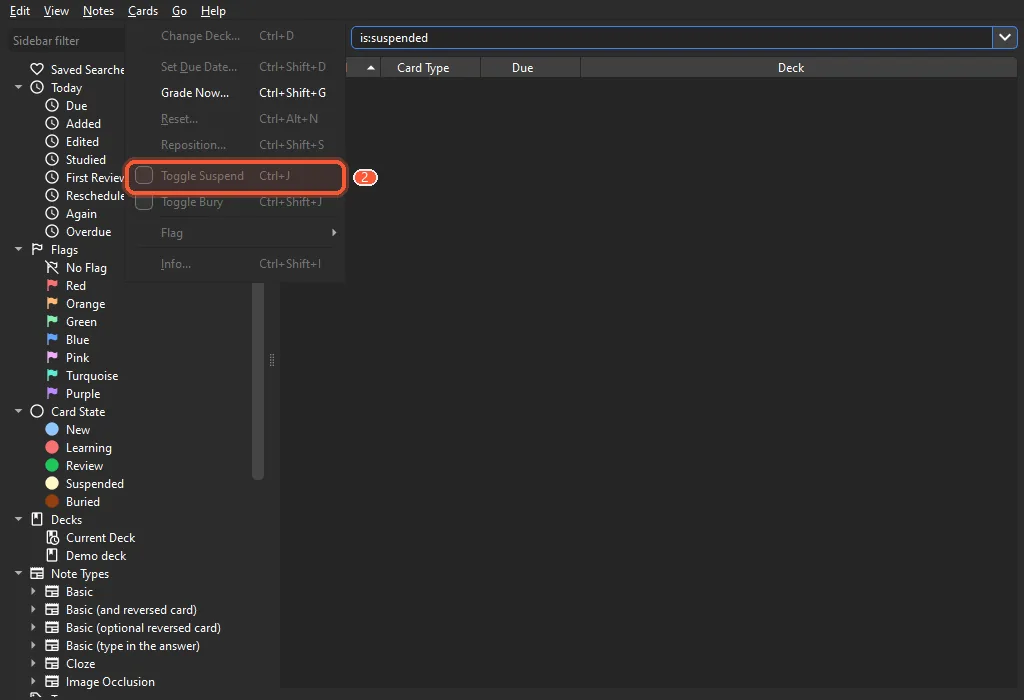
  Suspended["Search: is:suspended"] -->|"Select Cards"| ToggleSuspend["Cards > Toggle Suspend (Ctrl+J)"]
  Buried["Search: is:buried"] -->|"Deck Overview"| Unbury["Click Unbury"]
Walkthrough
Unsuspending & Unburying Cards
Locate suspended or buried cards in the Browser and restore them to your study queue.
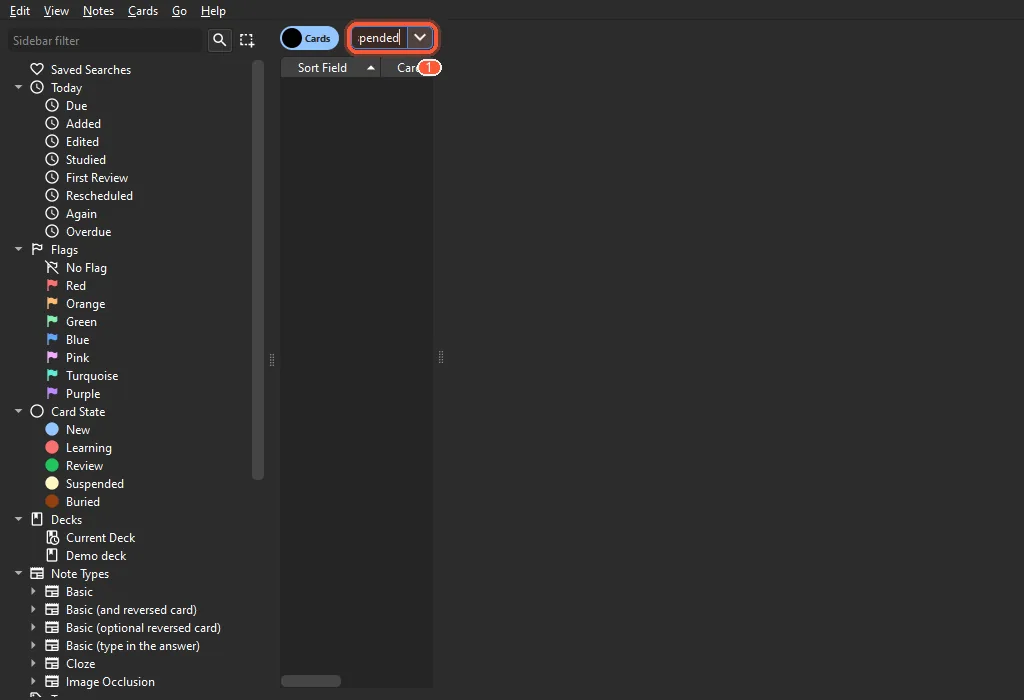
Step 01: Filter by is:suspended in the Browser
Open Browse (B) and type is:suspended (or is:buried) in the search bar to list hidden cards.
Step 1 of 2