Connect Anki to your AnkiWeb account and choose the right option when a full-sync conflict dialog appears. For full details, see the official Anki Manual.
Upload vs Download Decision Map
flowchart TD
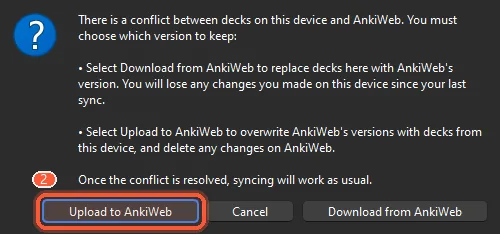
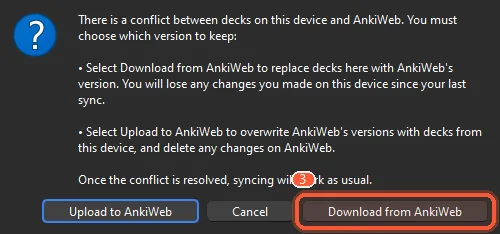
  Conflict["Sync Conflict: Upload or Download?"] --> Question{"Which copy has your latest cards & progress?"}
  Question -->|"This device"| Upload["Click Upload to AnkiWeb (overwrites AnkiWeb)"]
  Question -->|"AnkiWeb / another device"| Download["Click Download from AnkiWeb (overwrites this device)"]
Walkthrough
Syncing Across Devices: Upload vs Download
Trigger a sync and choose the right option when a full-sync conflict dialog appears.
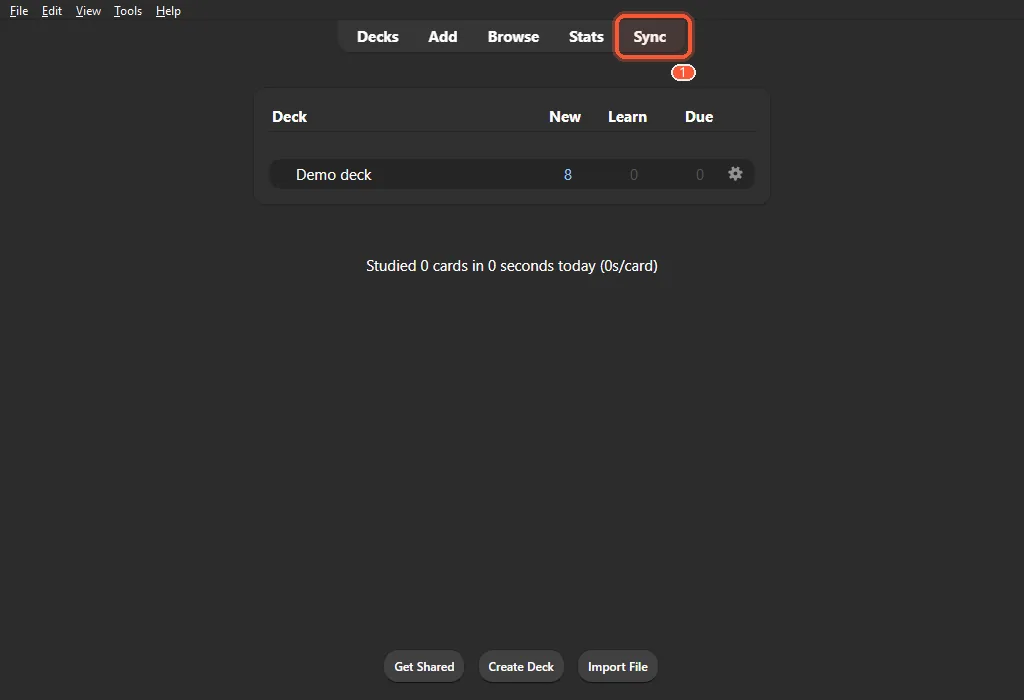
Step 01: Click Sync (or Press Y)
Click Sync in the top toolbar (or press Y) to sync your collection with AnkiWeb.
Step 1 of 3